How a Home VPN Actually Works (And Why Zero Trust Changes the Math)
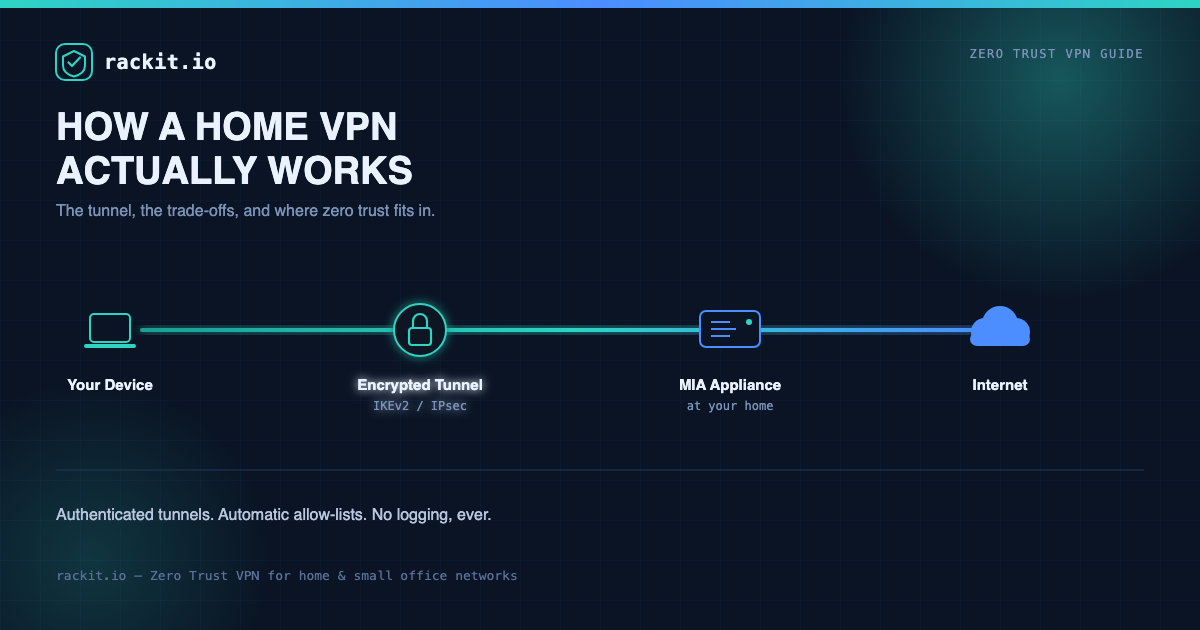
Table of Contents
What a home VPN actually does
Most people’s mental model of a VPN is “the thing that hides my IP address.” That’s true, but it’s the least interesting part of what’s happening.
A home VPN is a private, encrypted tunnel between a device — your laptop at a coffee shop, your phone on hotel Wi-Fi, a friend’s tablet — and your home network. Once that tunnel is up, your traffic behaves as if you’re plugged into your own router: you get your home’s IP address, you can reach anything on your local network (a NAS, a printer, security cameras), and everything you send is encrypted before it ever touches the network you’re connected to.
That last part is the whole point. A coffee shop’s Wi-Fi, a hotel’s guest network, and your mobile carrier’s network are all networks you don’t control and often can’t verify. A VPN doesn’t make those networks trustworthy — it makes it irrelevant whether they are, because nothing readable leaves your device until it’s inside the tunnel.
The mechanics: how the tunnel actually works
Strip away the marketing and a VPN connection is really three things happening in sequence:
- Authentication. Your device proves it’s allowed to connect — with a certificate, a pre-shared key, or a passphrase. This is the step most home setups get wrong, because it’s tempting to make it easy on yourself with a password you’ll actually remember.
- Key exchange. Once authenticated, both ends negotiate a shared encryption key without ever sending that key over the network in a form anyone could intercept and reuse. This is what protocols like IKEv2 (Internet Key Exchange version 2) handle — it’s also why IKEv2 is the standard rackit.io builds on: it reconnects almost instantly if your phone switches from Wi-Fi to cellular, which matters a lot more in practice than most people expect.
- The tunnel itself. From here, every packet is encrypted, wrapped, and sent to your home gateway, which decrypts it and forwards it to the internet (or to a device on your home network) as if the request originated from your house.
The gateway device — in rackit.io’s case, the MIA appliance sitting on your home network — is doing the real work here: terminating tunnels, enforcing who’s allowed in, and routing traffic. That’s also exactly why how that gateway is configured and maintained matters as much as the encryption math behind it.
The real benefits
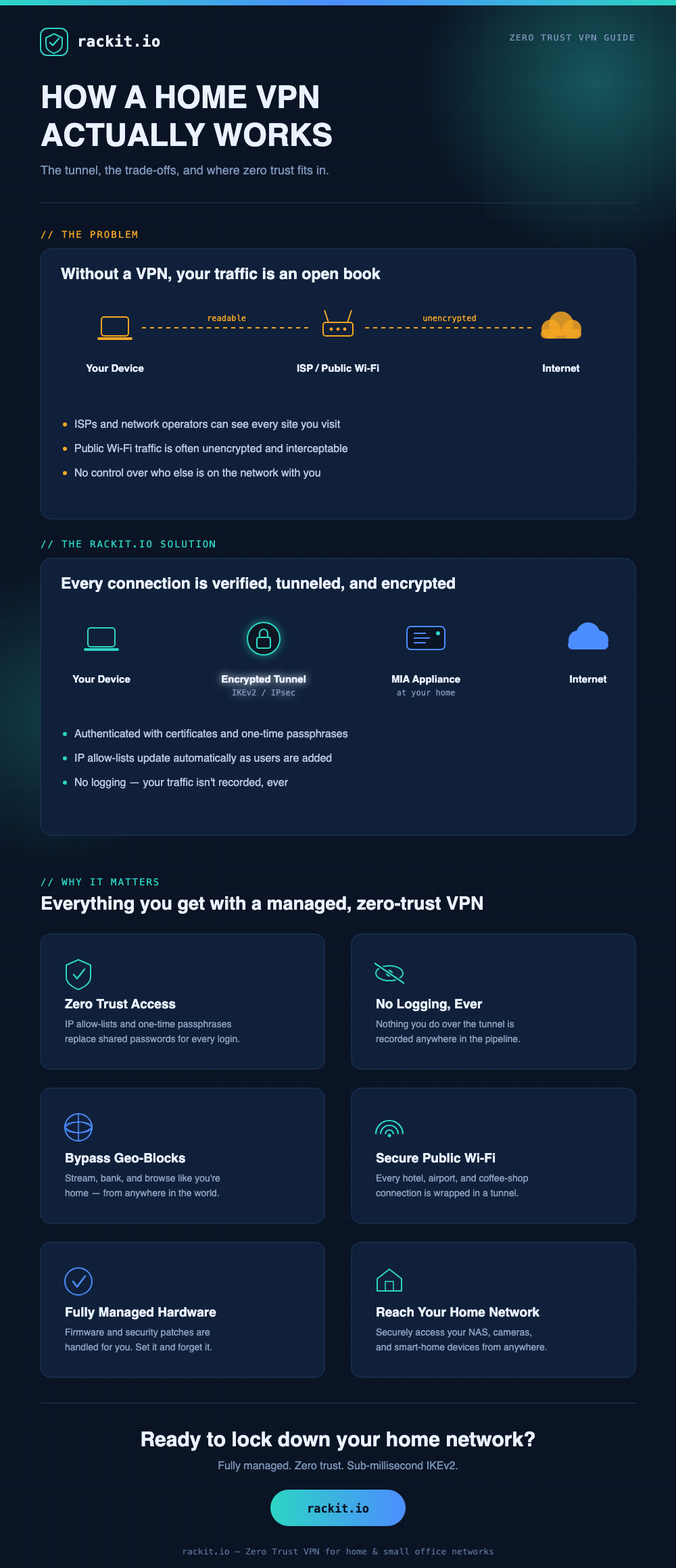
- Privacy from the network you’re using, not just the internet. Your ISP, the hotel Wi-Fi operator, or anyone on the same public network can normally see which sites you’re connecting to, even if they can’t read the content. A VPN tunnel hides that too — they see encrypted traffic to your home, and nothing else.
- A consistent, known IP address. Streaming services, banking sites, and internal work tools that get suspicious of “new” IP addresses see you as connecting from home every time, wherever you actually are.
- Access to your own network from anywhere. Security cameras, a home server, smart home controllers — the same tunnel that protects your browsing also gives you a secure path back into your house without exposing those devices directly to the internet.
- Real protection on untrusted networks. Airport Wi-Fi and hotel networks are common targets for traffic interception. Once your traffic is inside an encrypted tunnel, that specific threat is off the table.
The part nobody mentions: running your own VPN is a security project
Here’s the trade-off that gets skipped in most “how to set up a home VPN” guides: standing up your own VPN server means you’ve taken on an ongoing security responsibility, not a one-time setup task.
You’re now the person who has to:
- Keep the VPN software patched against new vulnerabilities — VPN gateways are a popular target precisely because they’re internet-facing by design.
- Manage certificates or credentials for every device and person you grant access to, and actually revoke access when it should end.
- Correctly configure port forwarding on your router without opening anything else by accident.
- Monitor who’s connecting and from where — without that, “VPN” just means “an authenticated door with no camera on it.”
None of this is impossible. It’s just a real, recurring workload, and it’s the reason a lot of home VPN setups quietly rot: configured once, never patched, credentials shared once and never rotated.
Where zero trust — and rackit.io — change the equation
Zero trust means exactly what it sounds like: no device or user is trusted by default, even after it’s connected. Every connection is verified, scoped, and logged as it happens, rather than treated as safe just because it made it through the front door once.
This is the model rackit.io’s MIA appliance is built around, and it directly answers the maintenance problem above:
- IP allow lists that update automatically. Every user’s connection request carries the IP they’re connecting from. Add or remove a user, and the allow list updates itself — no manual firewall rule editing.
- One-time passphrases. Instead of a shared password that eventually leaks or gets reused, each allowed user gets a passphrase issued for their connection, closing the “one password, forwarded to everyone” failure mode that kills most DIY setups.
- No logging, ever. Your traffic isn’t retained anywhere in the pipeline. Zero trust is about verifying access, not about accumulating a record of everything you did with it.
- Fully managed hardware. Firmware and software updates are handled for you, so the “did I patch the VPN server this quarter” question stops being your problem.
- Sub-millisecond connect latency on IKEv2, so the security layer doesn’t cost you the responsiveness that makes people abandon VPNs in the first place.
The net effect: you get the same encrypted-tunnel-plus-access-control architecture a well-run enterprise network uses, without personally being the network administrator who has to keep it that way.
Getting started
If you’ve been putting off setting up a home VPN because the “correct” way looked like a part-time job, that’s a reasonable instinct — for a self-managed setup, it kind of is. A managed, zero-trust appliance like MIA is built to remove exactly that overhead: plug it into your home network, forward two ports, and let the platform handle allow lists, passphrases, and updates from there.
Check out the tech spec for the full hardware details, or head to pricing to see what getting started looks like. For setup guides and reference material, visit the rackit.io documentation.